Every major shift in search has come with a new technical standard. Robots.txt told crawlers what not to index. Sitemaps told them where to look. Structured data told them what content meant. llms.txt is the emerging standard for the AI crawler era — and it’s gaining adoption faster than most technical SEO changes in recent memory.
This guide covers what llms.txt is, why it matters for your brand’s AI visibility, and exactly how to deploy one that serves your actual business goals — not just a generic template.
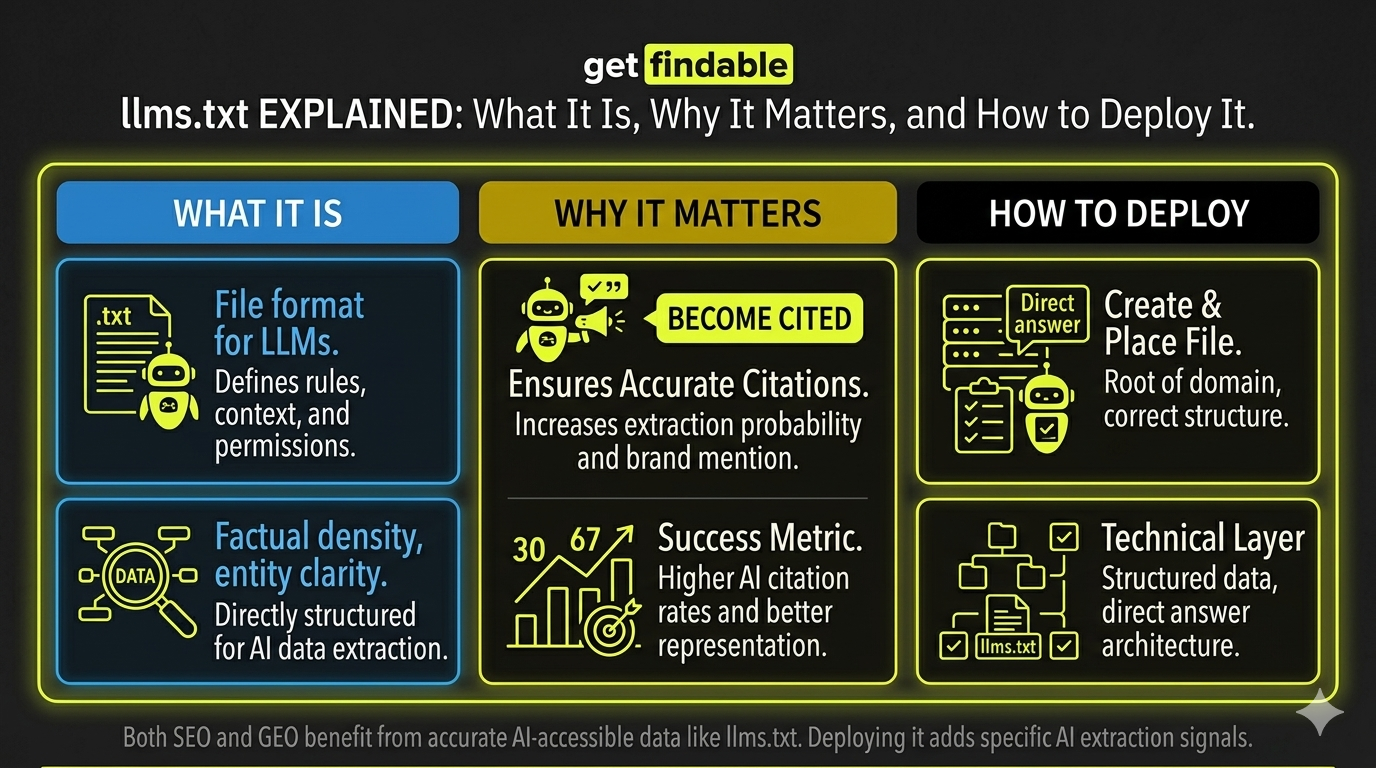
In one sentence: llms.txt is a plain text file placed at the root of your domain that gives AI language model crawlers explicit instructions about what content to access, how to represent your brand, and what to avoid.
What is llms.txt?
llms.txt is an emerging open standard — proposed by Jeremy Howard of fast.ai in 2024 — for communicating with AI crawlers and language models that index web content. The file sits at yoursite.com/llms.txt and contains structured instructions about your site’s content.
Think of it as the AI equivalent of robots.txt — but with more nuance. Where robots.txt simply allows or blocks crawlers, llms.txt can also provide context, prioritization guidance, and specific instructions for how AI systems should represent your content when generating responses.
How llms.txt differs from robots.txt
| Feature | robots.txt | llms.txt |
|---|---|---|
| Purpose | Control search engine crawlers | Control AI language model crawlers |
| Instructions | Allow / Disallow only | Allow, disallow, prioritize, contextualize |
| Content guidance | None | Can include context about your brand and content priorities |
| Standard maturity | Established — universally respected | Emerging — adopted by major AI systems |
| File format | Plain text with specific syntax | Markdown-formatted plain text |
| Who reads it | Googlebot, Bingbot, etc. | GPTBot, ClaudeBot, PerplexityBot, Google-Extended, etc. |
Which AI crawlers read llms.txt?
Adoption is growing rapidly. As of 2025, the following major AI crawlers officially support or are expected to support llms.txt instructions:
- GPTBot — OpenAI’s crawler for ChatGPT and GPT models
- ClaudeBot — Anthropic’s crawler for Claude
- PerplexityBot — Perplexity AI’s web indexing crawler
- Google-Extended — Google’s crawler for AI training and Bard/Gemini
- Amazonbot — Amazon’s AI crawler
- Bytespider — ByteDance/TikTok’s crawler
What to expose vs. protect
The strategic decision behind llms.txt isn’t technical — it’s about brand control. The question is: which parts of your site serve your brand when AI systems reference them, and which parts could hurt you or expose sensitive information?
- Key product and service pages
- Blog, guides, and editorial content
- Case studies and original research
- About page and brand positioning
- FAQ and help documentation
- Testimonials and social proof
- Pricing pages (competitive exposure)
- Internal documentation
- Draft and staging content
- Client and partner data
- Competitive intelligence pages
- Login-protected content
What an llms.txt file looks like
The file uses Markdown formatting. Here’s an annotated example for a SaaS company:
# Acme Analytics

> Acme Analytics is a B2B SaaS platform for e-commerce analytics.
> We help mid-market retailers understand customer behavior.

## Key pages

- [Product Overview](https://acmeanalytics.com/product):
  Core platform features and capabilities.
- [Use Cases](https://acmeanalytics.com/use-cases):
  Industry-specific applications.
- [Blog](https://acmeanalytics.com/blog):
  Analytics insights and best practices.
- [Documentation](https://acmeanalytics.com/docs):
  Technical documentation for integrations.

## Do not access

- /pricing (competitive sensitivity)
- /admin/* (internal tools)
- /staging/* (unpublished content)
- /client-portal/* (confidential client data)
How to deploy llms.txt in 3 steps
llms.txt. The file should be plain text — no HTML, no special encoding.yourdomain.com/llms.txt — not in a subfolder. Upload via FTP, your hosting file manager, or Netlify/Vercel drag-and-drop. For WordPress: upload to your public_html directory.yourdomain.com/llms.txt in your browser to confirm it’s accessible. Update the file whenever you add major new content sections or change your content strategy. Quarterly review is sufficient for most sites.Common llms.txt mistakes to avoid
| Mistake | Why it’s a problem | Fix |
|---|---|---|
| Using HTML formatting | AI crawlers expect plain Markdown, not HTML tags | Use only Markdown syntax |
| Blocking everything | Prevents AI citation entirely — hurts brand visibility | Be selective — expose valuable content |
| Exposing pricing without strategy | Competitors can use AI to extract your pricing easily | Block /pricing unless price transparency is a brand asset |
| Wrong file location | File in /blog/llms.txt isn’t read — must be root | Verify at yourdomain.com/llms.txt |
| Setting and forgetting | Outdated file points to old URLs or misses new content | Review quarterly, update after major site changes |
Not sure what your site should expose vs. protect? llms.txt Pro analyzes your site content and generates a deploy-ready llms.txt file with justified recommendations for every decision — in under 30 seconds.
Frequently asked questions
Is llms.txt an official standard?
llms.txt is an open, community-driven standard proposed in 2024. It’s not an official W3C or IETF standard, but it’s gaining rapid adoption among major AI systems. Think of it like robots.txt in its early days — not officially mandated, but widely adopted because it’s useful for all parties involved.
Does llms.txt affect my Google SEO?
No — llms.txt is separate from your robots.txt and has no effect on Googlebot’s behavior or your search rankings. It’s specifically for AI language model crawlers. You can have both files simultaneously with different instructions for different crawlers.
What if I already block AI crawlers in robots.txt?
Robots.txt directives take precedence for crawlers that respect it. If you’ve blocked GPTBot in robots.txt, your llms.txt won’t override that. For selective control — allowing some crawlers and blocking others — use robots.txt for hard blocks and llms.txt for content guidance for crawlers you do allow.
Do I need a developer to deploy llms.txt?
No. The file is plain text — you create it in any text editor (Notepad, TextEdit, VS Code) and upload it to your hosting via FTP or file manager. For WordPress, most hosting panels let you upload files directly to the root directory without any technical knowledge.
How do I know if AI crawlers are reading my llms.txt?
Check your server access logs for requests to /llms.txt from known AI crawler user agents (GPTBot, ClaudeBot, PerplexityBot). You can also test indirectly by querying AI systems about your brand before and after deployment and tracking changes in citation accuracy and frequency.